⏰ 6 min read | August 17, 2026
If you want to file court case online without stepping into a courthouse, India’s eCourts e-Filing platform now lets you do exactly that from your laptop or phone. Gone are the days of standing in long queues at the court registry just to submit a petition. Whether you are a lawyer or a regular citizen with a genuine grievance, this government-run portal has made the entire process a lot less intimidating — and honestly, a lot faster too.
What Is eCourts e-Filing?
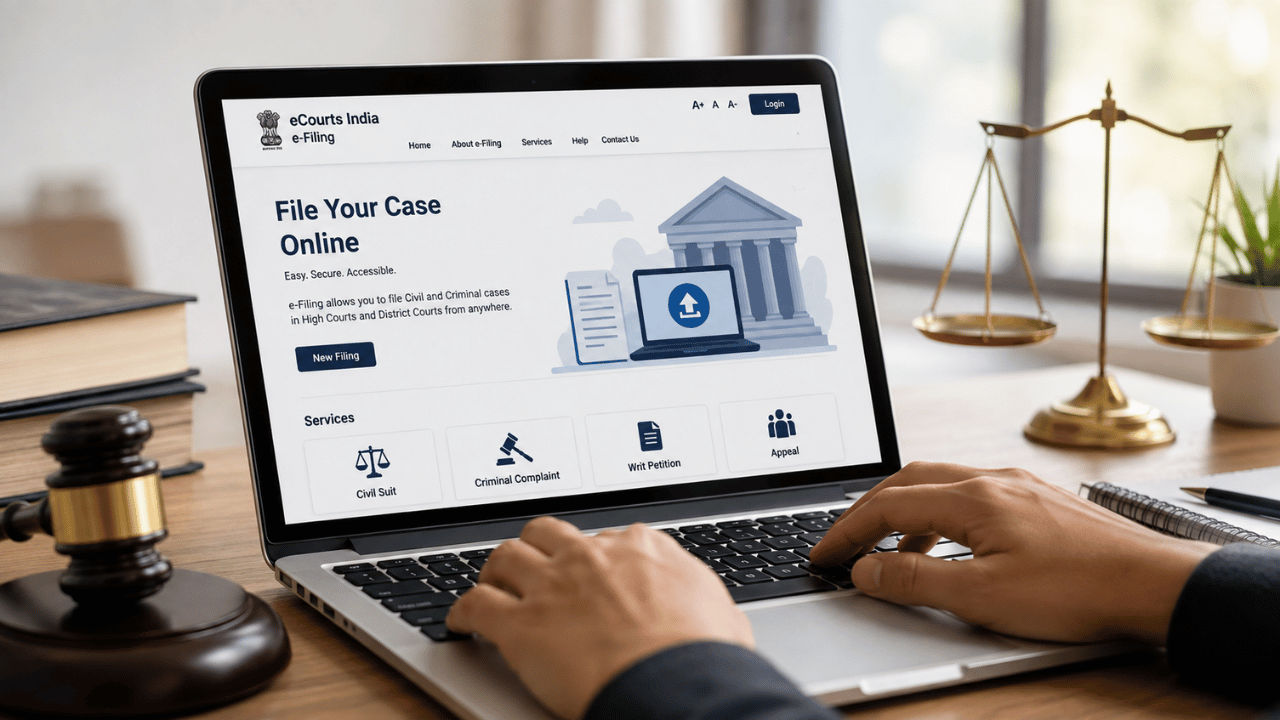
eCourts e-Filing is a digital initiative run jointly by the Department of Justice and the e-Committee of the Supreme Court of India. In simple words, it’s a website (and a companion app) that lets you submit legal paperwork to a court without physically visiting it. Right now, this facility works for High Courts and District Courts, so if your matter falls under either of these, you’re good to go.
The platform supports several common case categories, including civil suits, criminal complaints, writ petitions, and appeals. So whether it’s a property dispute, a consumer-style grievance, or an appeal against an earlier order, there’s a good chance you can start the process from your phone.
Did You Know? The eCourts project is one of the largest e-governance initiatives in the Indian judiciary, and it also powers the CNR (Case Number Record) system that lets anyone track a case's journey from filing to final judgment.
Step-by-Step Guide to File a Case Online
The actual process of filing is refreshingly straightforward once you know the sequence. Here’s how it works:
- Open your browser and head to the official eCourts India e-Filing website, or download the eCourts e-Filing app on your phone.
- Log in using your registered username and password. New users will need to create an account first.
- On the home screen, tap or click on “New Filing”.
- Pick the correct case type from the list — civil, criminal, writ petition, or appeal.
- Head to the e-Services section and upload clear digital copies of your supporting documents.
- Go through everything one more time before hitting submit — small errors here can cause delays later.
- Submit your case, and keep an eye on the Notifications section for updates on your filing.
What makes this genuinely useful for the average person is that the system is bilingual — you can file your complaint in English or in your local language, which removes a big barrier for people who aren’t comfortable with legal English.
Documents and Requirements You’ll Need
Before you start the process, it helps to have a few things ready so you’re not scrambling halfway through:
- A stable internet connection — uploads can fail midway on a shaky network.
- Clear, legible digital copies (scans or photos) of all the documents relevant to your case.
- A registered login on the eCourts e-Filing portal.
- For advocates, a valid BAR number is required to file on behalf of a client.
It’s worth double-checking file sizes and formats before you upload, since blurry or poorly scanned documents are one of the most common reasons filings get sent back for correction.
Tracking Your Case After You File
Once your case is submitted, you don’t have to keep logging in every day just to check what’s happening. The eCourts system has a neat SMS-based tracking feature — simply send a text in the format ECOURTS followed by your CNR number to 9766899899, and you’ll get your case status right on your phone. You can also check the Notifications section inside the website or app for instant alerts whenever there’s movement on your filing.
This is a big deal for people in smaller towns or rural areas who previously had to travel to the court just to ask a clerk what stage their case was at.
Why This Matters for Everyday Indians
Filing a case has traditionally meant taking a day off work, traveling to the courthouse, standing in line, and dealing with paperwork counters that close early. The online system flips that experience on its head. You can file from your home, your office, or even while traveling, as long as you have an internet connection. For people in rural areas or those with mobility issues, this is genuinely life-changing — it removes the biggest hurdle in accessing justice, which is simply getting to the courthouse in the first place.
eCourts e-Filing Platform Specifications
| Specification | Details |
|---|---|
| Platform Name | eCourts India e-Filing |
| Operated By | Department of Justice & e-Committee, Supreme Court of India |
| Courts Covered | High Court and District Court |
| Case Types Supported | Civil suits, Criminal complaints, Writ petitions, Appeals |
| Access Modes | Official website and eCourts e-Filing mobile app |
| Language Support | English and regional/local languages |
| Case Status Tracking | SMS “ECOURTS <CNR number>” to 9766899899 |
Cost and Access Details
| Aspect | Details |
|---|---|
| Original Process (Offline Filing) | Requires physical visit to courthouse, travel time, and in-person paperwork |
| Current Process (Online Filing) | Fully remote filing via website/app; no travel needed |
| Platform Access Fee | No additional platform fee mentioned; standard applicable court fees apply as per case type |
| EMI / Card Offers | Not applicable — this is a government e-filing service, not a paid product |
| Exchange / Refund | Not applicable |
Frequently Asked Questions
Yes, you can file a court case online in India through the eCourts India e-Filing website or mobile app, which currently supports High Court and District Court filings.
You can file civil suits, criminal complaints, writ petitions, and appeals through the eCourts e-Filing platform.
Lawyers filing on the platform need a valid BAR number, but the system is designed so that any user with the required documents and a login can submit a filing.
Send an SMS in the format ECOURTS followed by your CNR number to 9766899899, or check the Notifications section inside the eCourts e-Filing website or app.
Yes, the eCourts e-Filing system is bilingual and lets users file complaints in English or their local language.
Verdict: Should You Use eCourts e-Filing?
If you’ve ever put off a legal matter simply because visiting a courthouse felt like too much hassle, the eCourts e-Filing system is worth trying. It won’t replace the need for good legal advice on tricky matters, but for straightforward filings, it strips away a lot of the friction — no travel, no queues, and real-time updates on your phone. As more courts get added to the system over time, this could genuinely become the default way most Indians interact with the judiciary.
For more simple, no-jargon tech and digital-life guides like this one, keep visiting JatinTechTalks.


No comments:
Post a Comment