⏰ 6 min read | August 17, 2026
BSNL Free Live TV is quickly becoming one of the most talked-about perks for the telecom operator’s subscribers, and honestly, it’s about time BSNL gave its users something exciting to look forward to. If you’ve been paying for a cable connection or a DTH box just to watch the news or your favourite shows, this new feature might just let you cancel that bill altogether. BSNL has quietly rolled out a way for its mobile users to stream hundreds of live channels directly on their phones, and the best part is that it doesn’t cost a single extra rupee if you already have an active plan.
What Is BSNL Free Live TV?
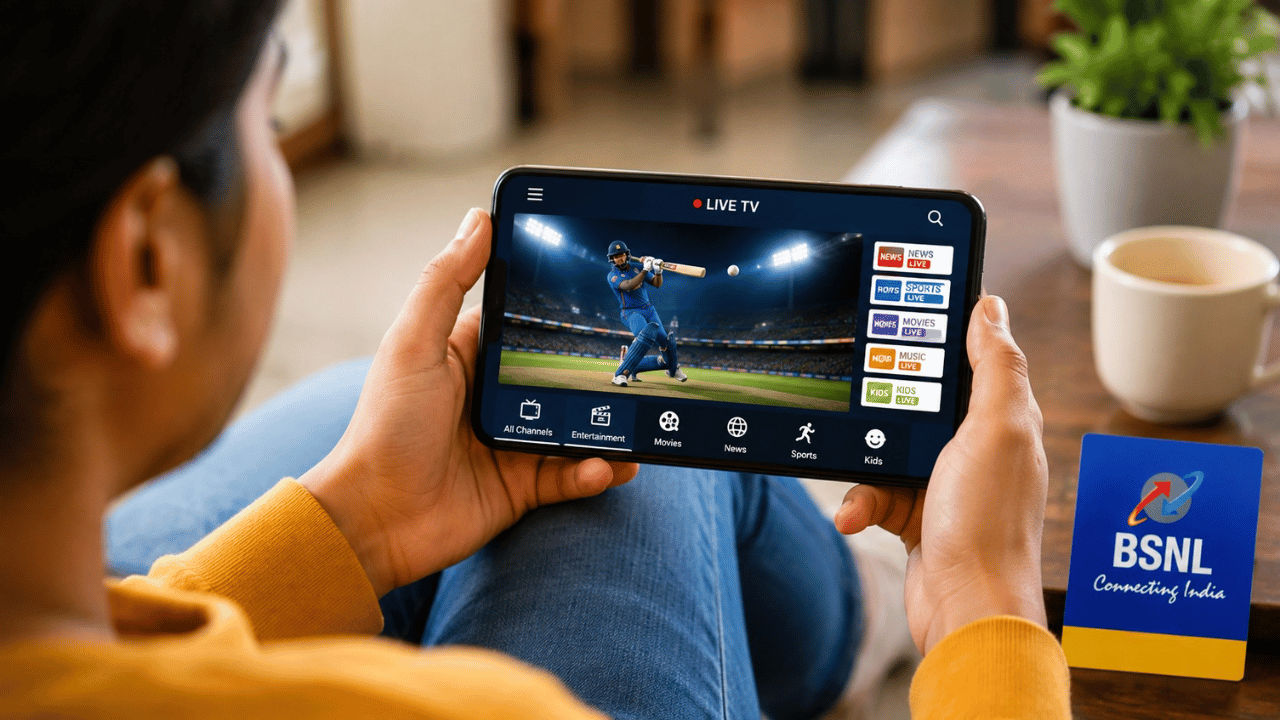
Let’s start simple. BSNL has partnered with a platform called Tango TV to bring live television streaming to its own app, BSNL Selfcare New. Instead of building a brand-new app from scratch, BSNL has folded this entertainment feature right into the same app you probably already use to check your data balance or recharge your number. Once it’s switched on for your account, you get access to roughly 500 live channels covering news, movies, sports, regional content, and general entertainment, plus a library of on-demand shows and films you can watch whenever you want.
Did You Know? BSNL announced this live TV rollout around Independence Day 2026, alongside news of new 4G towers and cheaper recharge plans — part of a bigger push to win back customers who had switched to private telecom players.
What makes this stand out is that it’s not a trial offer or a limited-time promotion. As long as your BSNL SIM stays active with a valid plan, you can keep using the live TV feature without any separate subscription fee, which is a pretty rare thing in the streaming world these days.
How to Activate It on Your Phone
Getting this running on your phone doesn’t take more than a couple of minutes. Here’s the simple version of what you need to do:
First, head to the Play Store on Android or the App Store on iPhone and download the BSNL Selfcare New app. If you already have it installed, open it and check for an update, since older versions might not show the TV section at all. Next, open the app and log in using your BSNL mobile number. You’ll receive an OTP on that number, and once you enter it, you’re logged in and ready to go. From the home screen, look for a section called Entertainment TV or Free TV — this is usually placed prominently since BSNL wants users to notice it. Tap on it, pick any channel or show that catches your eye, and it should start streaming right away, provided you have a working internet connection.
That’s really all there is to it. There’s no separate registration form, no extra password, and no hidden step where they ask for payment details.
Channels and Content You Get
With close to 500 live channels on offer, there’s a genuinely wide spread of content here. You can expect news channels covering national and regional updates, movie channels running Bollywood and regional films, general entertainment channels with serials and reality shows, and sports coverage for people who like to keep track of matches on the go. On top of the live channels, the on-demand library lets you catch up on shows or movies you might have missed, similar to how a basic OTT app works, except this one comes bundled with your mobile plan instead of asking for its own monthly fee.
Because everything runs through your phone’s internet connection rather than a satellite dish or cable wire, you can technically watch this while travelling, at work during a break, or lying in bed without needing to be near a television at all.
Why This Move Matters for BSNL Users
For a lot of households, cable and DTH bills quietly add up every month, and cancelling them isn’t always easy if there’s no good free alternative. By baking live TV directly into a mobile plan people already pay for, BSNL is essentially offering an extra benefit without asking users to spend more. This is also a smart move on BSNL’s part to stay competitive, since private telecom operators have been offering their own bundled OTT and entertainment perks for a while now. Bundling live TV, especially without a separate app to download or a subscription to manage, makes BSNL plans a bit more attractive to price-conscious users who still want solid entertainment options.
It also removes a barrier for people who don’t own a smart TV or a set-top box but still want to watch live channels. All you really need is a basic smartphone and a working internet connection, which most people already have anyway.
Things to Keep in Mind
Before you get too excited, there are a few practical points worth remembering. Streaming live TV uses noticeably more data than regular browsing or messaging, so if you’re on a limited daily data plan, keep an eye on how much you’re consuming, especially if you’re watching over mobile data instead of Wi-Fi. Video quality will also depend on your network signal strength, so in areas with weaker BSNL coverage, you might see occasional buffering. Lastly, since this is still a relatively new rollout, availability and the exact list of channels could vary depending on your circle or region, so it’s worth checking the app directly to see what’s live in your area.
BSNL Free Live TV: Quick Specifications
| Specification | Details |
|---|---|
| Service Name | BSNL Free Entertainment TV |
| Powered By | Tango TV |
| App Required | BSNL Selfcare New (Android & iOS) |
| Live Channels Available | Approximately 500 channels |
| Content Types | Live TV, on-demand shows, movies |
| Internet Requirement | Wi-Fi or mobile data |
| Eligibility | Active BSNL mobile plan with valid SIM |
| Device Needed | Any smartphone (no TV or set-top box needed) |
Price & Availability
| Detail | Information |
|---|---|
| Original Price | Comparable cable/DTH plans typically cost extra per month |
| Current Price | ₹0 — included free with active BSNL mobile plans |
| Bank Card Offer | Not applicable — no purchase required |
| EMI | Not applicable |
| Exchange | Not applicable |
Frequently Asked Questions
It’s an entertainment feature, powered by Tango TV, that lets eligible BSNL mobile users stream around 500 live TV channels along with on-demand shows and movies at no extra cost.
You need the BSNL Selfcare New app, available for both Android and iOS. Update it to the latest version before checking the Entertainment TV section.
No. As long as you have an active BSNL mobile plan with a valid SIM card, the live TV feature is completely free with no separate subscription.
Yes. The service runs through the BSNL Selfcare New app on your smartphone, so no TV, DTH connection, or set-top box is needed.
An active BSNL mobile connection, a smartphone with the updated BSNL Selfcare New app, and an internet connection via Wi-Fi or mobile data.
Verdict: Should You Try BSNL Free Live TV?
If you’re already a BSNL subscriber, there’s honestly no reason not to try this out — it costs nothing extra, takes a few minutes to set up, and could genuinely replace a chunk of what you’re paying for cable or DTH every month. For anyone still on the fence about switching to BSNL, a free bundle of 500 live channels plus on-demand content is a solid reason to take a second look at their plans. Just remember to keep an eye on your data usage if you’re streaming on mobile data rather than Wi-Fi.
For more updates like this on telecom offers, free perks, and tech news explained simply, keep following JatinTechTalks.
```


No comments:
Post a Comment