Google Photos Adds Gemini Omni-Powered Video Remix Feature: Automated Edits via Text Prompts
Google is fundamentally changing how everyday consumers approach mobile video editing. Moving past basic manual trim tools, the search giant has announced the rolling integration of an incredibly powerful "Video Remix" pipeline straight inside the Google Photos application wrapper.
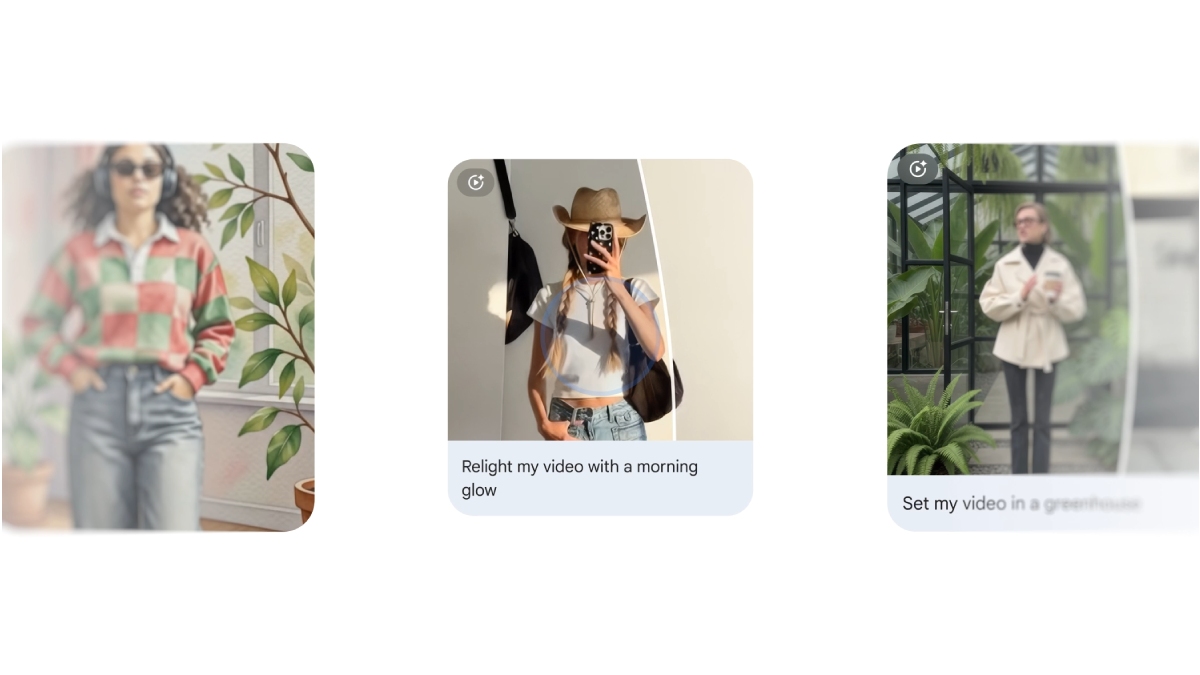
The groundbreaking creative upgrade acts as the spiritual evolution to legacy toolsets like the standard Highlight Video generator. By embedding advanced multimodal infrastructure directly inside your media library, the app completely bypasses the friction of timeline cutting, making short-form video creation accessible to everyone.
The Power of Gemini Omni Models for Media Understanding
The technical framework powering the Video Remix interface relies on Google's next-generation **Gemini Omni models**. Unlike older AI models that analyze image pixels purely on a superficial tag-based structure, this multimodal system possesses true semantic scene understanding.
When you task the app to generate a video clip, the Gemini core scans hours of your cloud storage files in seconds. It accurately recognizes distinct individual faces, localized landmarks, fine physical motion, specific background music tempos, and complex environmental backdrops. This deep media intelligence allows the tool to compile cinematic stories that match structural narrative prompts with astonishing accuracy.
Google Photos Video Remix Feature Architecture
The cloud-assisted update structures video automation through a clean conversational script environment as detailed in the matrix below:
| Feature Subsystem | Official Functionality & AI Capabilities |
|---|---|
| Core AI Engine | Gemini Omni Multimodal Architecture (Advanced Semantic Media Analysis) |
| Input Modality | Natural Language Text Prompts (e.g., \"Turn my recent Rishikesh trip into an energetic travel vlog\") |
| Automated Tasks | Surgically isolates best frames, cuts out camera shakes, applies transitions |
| Audio Integration | Intelligently matches clip pacing to recommended YouTube Shorts audio tracks |
| Refinement Interface | Conversational chat prompts to tweak pacing, add text layers, swap clips |
| Platform Availability | Rolling out first on Android and iOS (Google One / Pixel Exclusive Phase) |
| Export Optimization | Native portrait aspect ratios built directly for YouTube Shorts and Reels |
Prompt-Based Edits and YouTube Shorts Optimization
Operating the system is completely seamless. Users simply click the new "Remix" action icon inside the search or utility tab and type out a specific conceptual script—such as *"Create a funny, fast-paced video of my dog playing fetch in the park with upbeat music."* The model immediately targets the best frames from your library, slicing out background dead space, steadying camera shakes, applying seamless fade transitions, and setting the cuts perfectly to match the audio rhythm.
If the initial video generation doesn't perfectly match your creative vision, the app provides a highly flexible conversational chat window for live refinements. You can type instructions like *"Make the middle part slower"* or *"Add a bright summer filter,"* and the system adjusts the composition layout on the fly. To cater to creators, the final export output is natively optimized for portrait video platforms, ensuring your generated vlogs are immediately ready for sharing on YouTube Shorts or Instagram Reels.
Ecosystem Rollout Schedule and Device Restrictions
The Video Remix feature is rolling out progressively via a server-side framework update to Google Photos app builds on both Android and iOS networks. During its initial launch phase, access will be locked as an exclusive feature layer for premium **Google One** subscribers (starting at the 2TB tier and above) alongside current-generation Pixel flagship devices.
Because the complex video extraction loops utilize massive cloud-based computing blocks, a persistent high-speed internet data link is required to complete render pipelines. A wider, public rollout targeting all baseline Android users is projected to deploy later this winter once processing capacity tracks scale up, making this a massive milestone for mainstream mobile content creation.
The addition of the Gemini Omni-powered Video Remix feature marks a historic structural shift for personal media organization apps. Turning a cluttered gallery of raw video files into polished, shareable travel vlogs or family highlight reels via simple text prompts effectively removes the technical learning curve from mobile editing, cementing Google Photos as an indispensable creator tool.


No comments:
Post a Comment